Control merchandise spending across every team.
Owners · Managers · Finance
MerchOS™ Controls
- Budgets & credits
- Approval rules
- Team permissions
- Spend reporting
Teams
Order within approved budgets
Finance
Consolidate payments and invoices
Leadership
See spend across the organization
Manager controls
Give teams purchasing freedom.Keep spending under control.
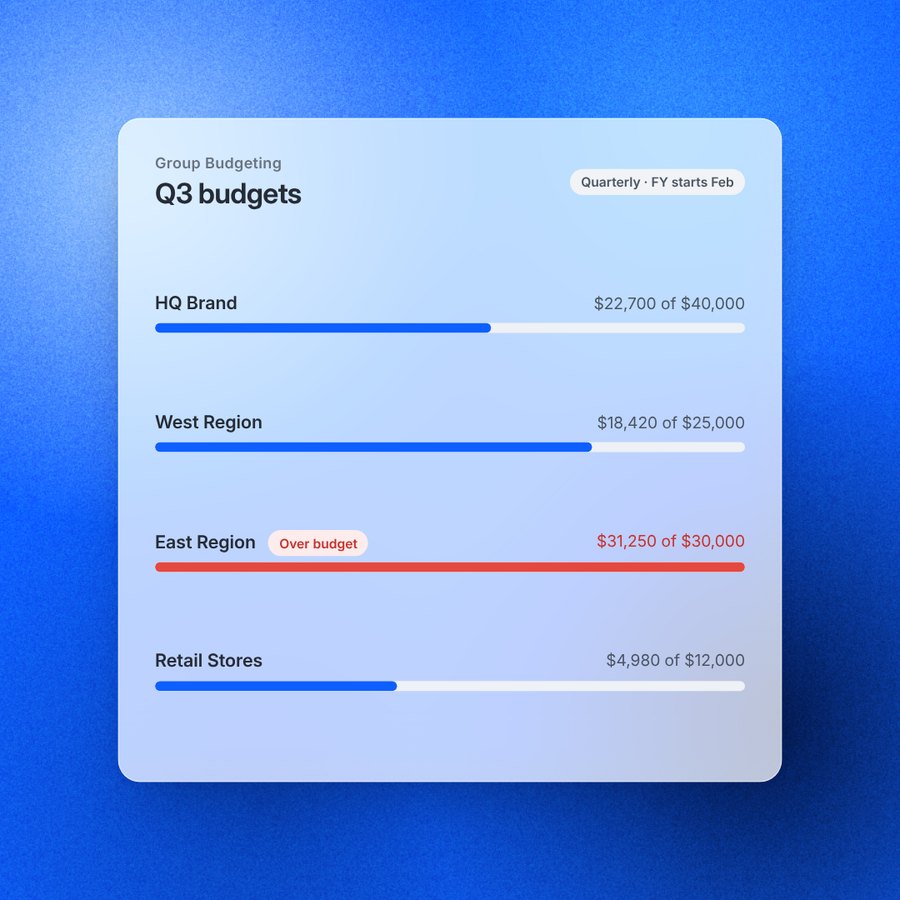
Group budgets. Assign annual or quarterly merchandise budgets to teams, departments, and locations.
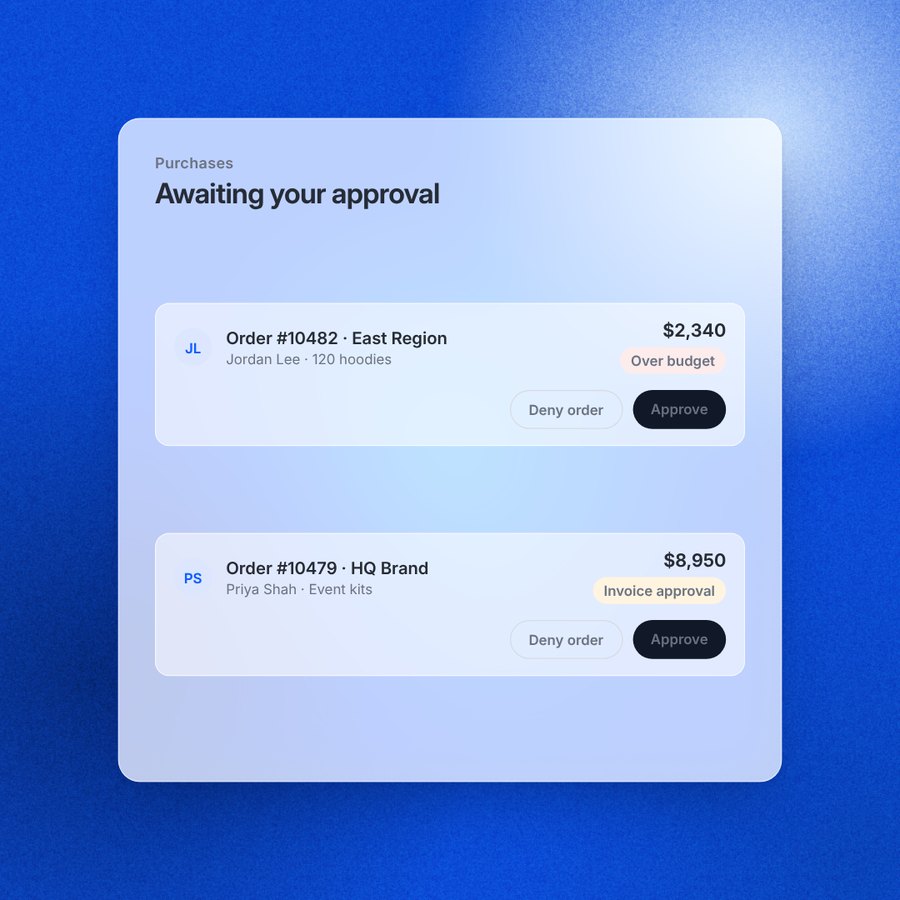
Approvals. Automatically hold orders that exceed budget for manager approval.
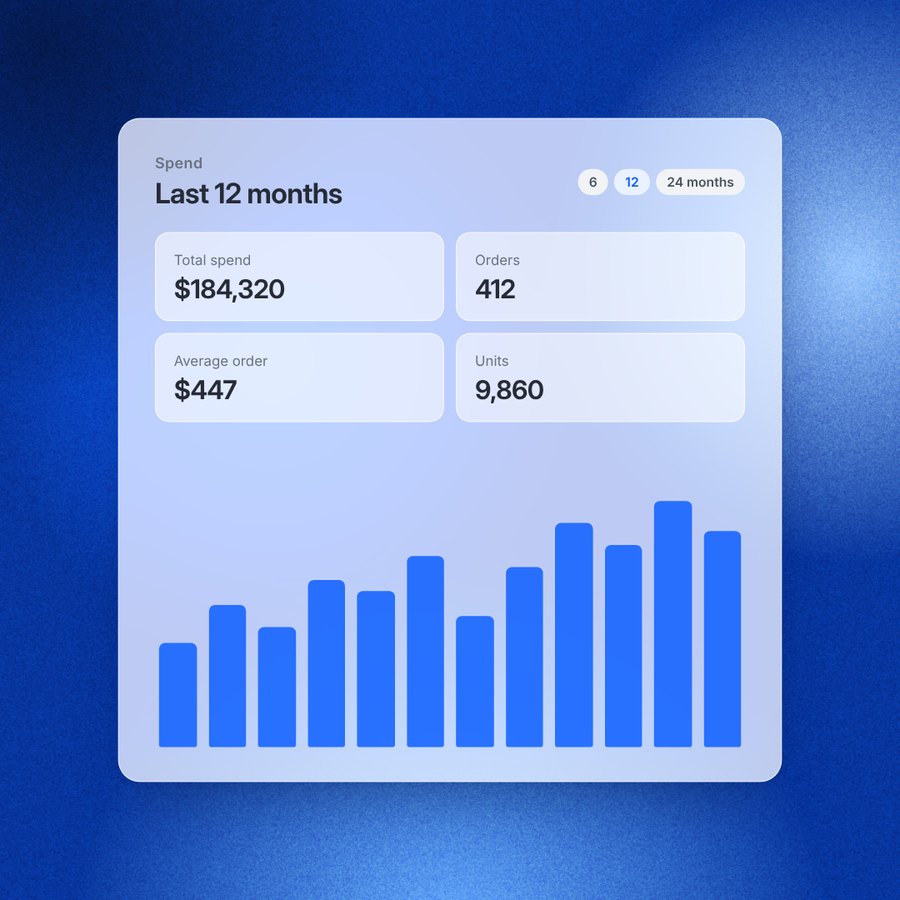
Spend analytics. Track purchases, budgets, and spending trends across your organization.
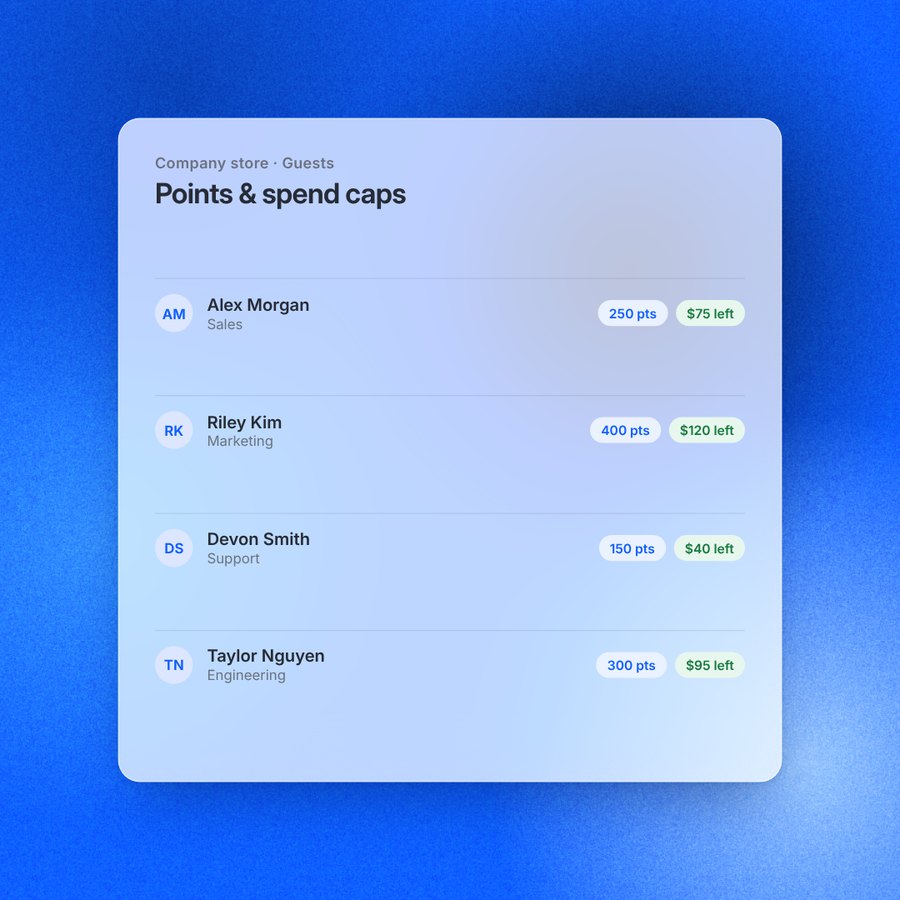
Employee allowances. Points or spending limits for employees in your company store.
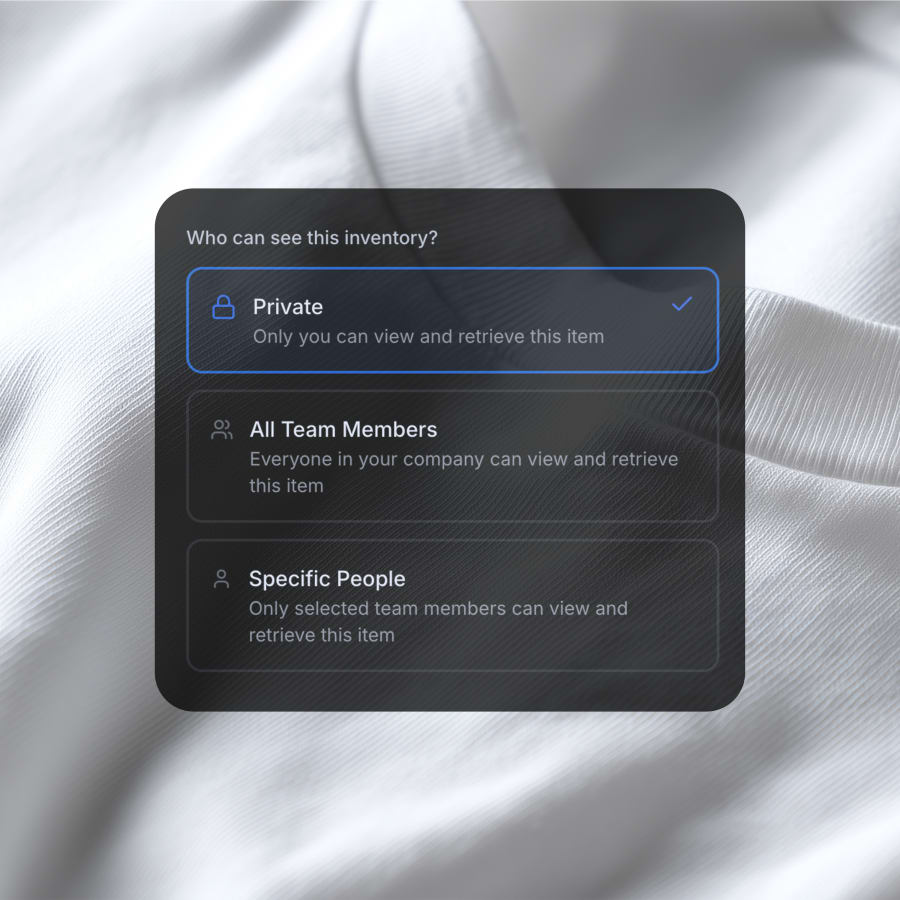
Access controls. Control who sees inventory, collections, and logo kits.
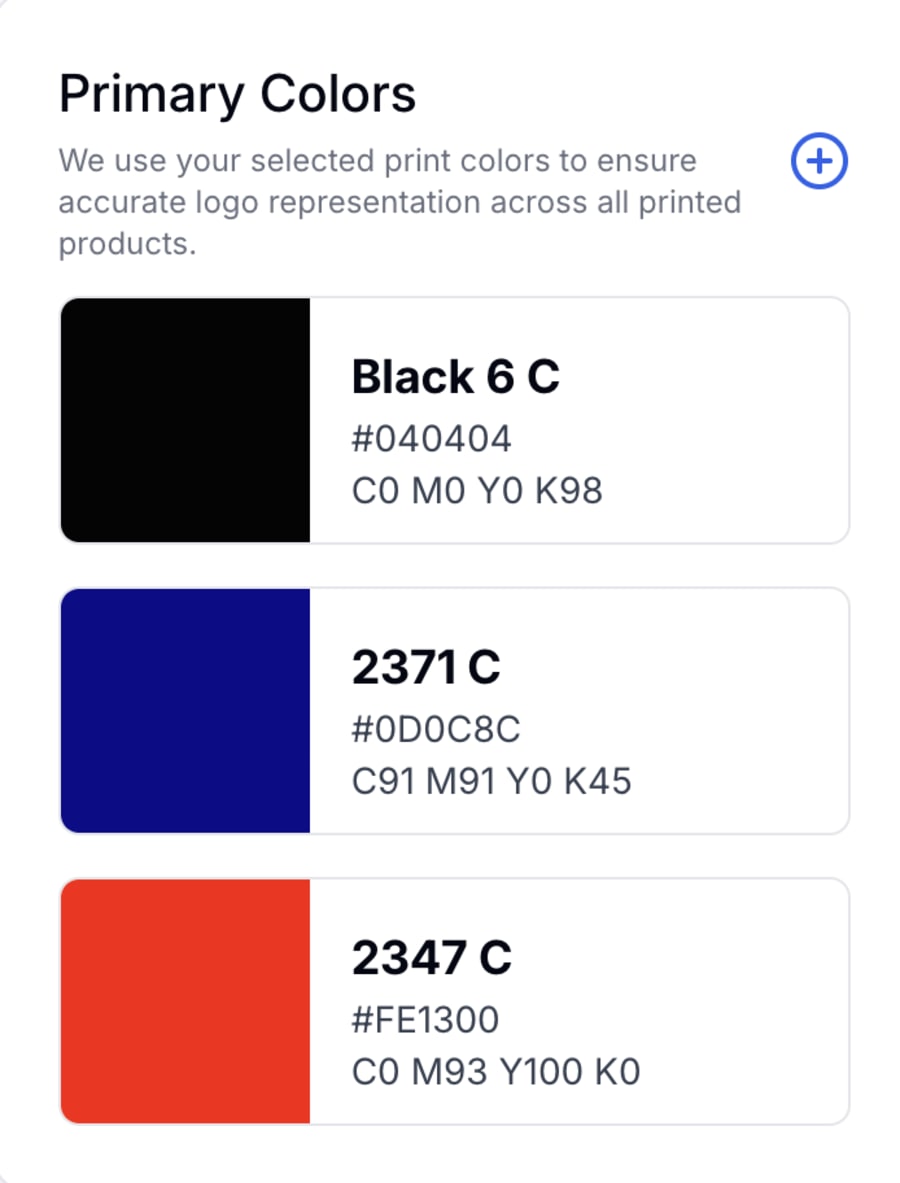
Brand standards. Approved logos and Pantone colors on every order.
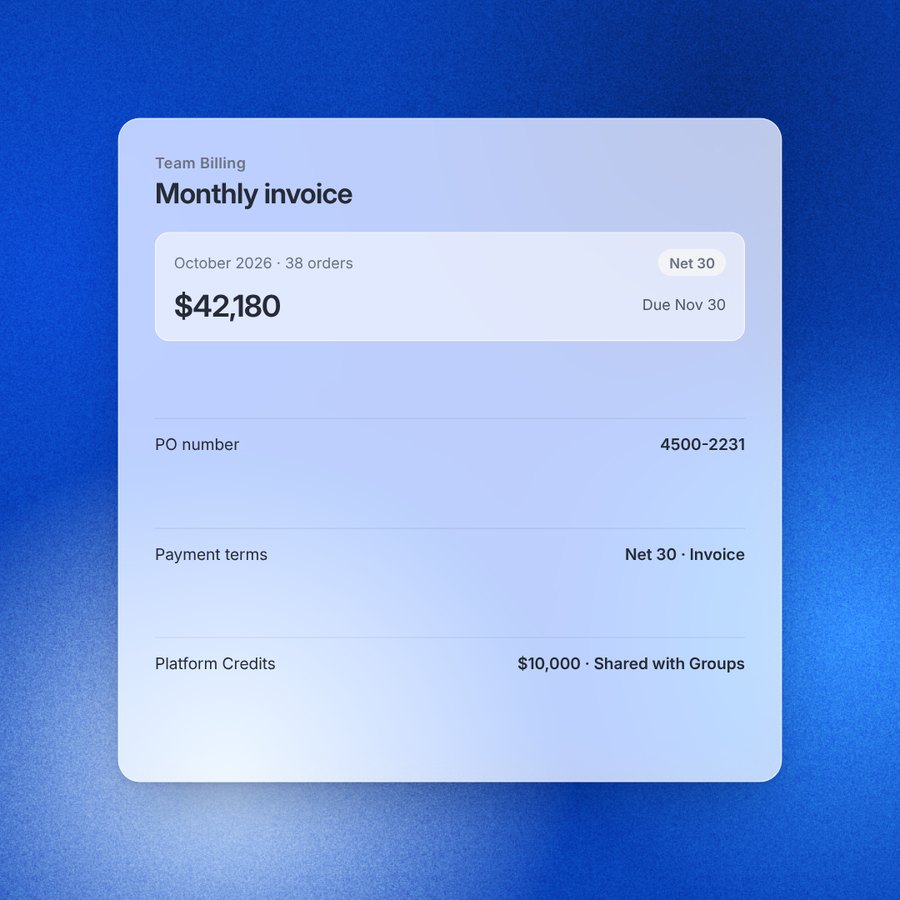
Invoicing & payment terms. Net terms, PO numbers, and one monthly invoice.
Controls built for enterprise merch programs
- Spending controlsTeam budgets, employee credits, spending limits, and over-budget alerts.
- Approval workflowsOne approval queue, threshold rules, and approvals by email.
- Purchasing & financePurchase orders, Net 15–90 terms, and consolidated invoicing.
- Access & reportingRole-based permissions, groups, and spend analytics.

Frequently asked questions
Looking for help with branded merchandise? Explore FAQs on ordering, fulfillment, storefronts, pricing, and more.
View more- On the Enterprise plan, you organize your account into groups, such as brands, regions, departments or locations, and give each group a spend budget. Budgets run annually or quarterly, counted from the month your fiscal year starts. Spend is counted line by line against the group whose logo the item carries, so a mixed order is split correctly between budgets. The Spend page shows each group's budget, what it has spent, and what is left.
- The person ordering sees a notice at checkout that the order will put their group over budget. The order is not blocked: it is held for approval instead. A manager approves or denies it from the approvals queue, and approving releases the order to production and invoicing.
- Owners and managers approve team orders from one queue that shows every order awaiting approval, tagged as over budget or needing invoice approval. For invoice purchases, your account team can set up who approves, a dollar threshold above which approval is required, and which payment methods need it. Approvers can approve from an emailed link without logging in.
- Yes. In a company store paid for by the company, managers can give each employee points, sell items for points only, and set a per-person spending cap that shows how much they have left. Store orders can also need approval on every order, only above a threshold, or not at all, with orders auto-approving after 48 hours unless you turn that off.
- The Spend page shows what your team bought, who bought it, and where the money went: total spend, orders, average order and units over 6, 12 or 24 months, a monthly trend, spend by group against budget, top spenders and most-ordered products. Managers can also assign unassigned spend to the right group. The Team Overview adds top items ordered and the most active members.
- Every account has owners, managers, buyers and creatives. Managers invite people one at a time or in bulk, upgrade buyers to managers, revoke or reactivate access, reassign a leaver's assets, and decide who can send gifts. You can let anyone with your email domain join automatically or require approval for each new member.
- Groups decide which collections and logo kits each team can see and order from, and can hide pages such as the Brand Library, Members or Marketplace. Each group has its own joining rules: automatic for a domain, self-selected, or hidden. Groups are part of the Enterprise plan.
- Pay by card or ACH, or on invoice with payment terms from Net 15 to Net 90. Orders on terms can settle against a PO, with a PO number and document attached, or roll up into one monthly account invoice for finance. Platform Credits let you prepay and share credit with your whole team, specific people or specific groups, and apply it automatically before a charge. Invoice and order emails can go to the right finance inboxes.