Most large companies do not have one merch vendor. They have one per team, one per office, one per event agency, and several more that are not tracked centrally. Each one made sense when it was chosen. Together they raise costs, produce inconsistent branding, and make it hard to report what the company spends on branded merchandise.
This guide is for the merch, marketing, HR or procurement lead who has been asked to bring those vendors onto one dashboard. MerchOS runs your company stores, department budgets, approvals, stockroom, kitting, gift links and reporting in one place. Brandmerch adds custom manufacturing, every kind of printing and products direct from 575 brands, and you can transfer the vendors and items you already use into the same account. This guide answers the questions buyers ask when they consolidate: who can take on the whole program, how budgets and approvals work across departments, how storage and kitting scale, and how to run it across countries. If you want a team to run the program for you, see outsourced merch programs. If you are planning for many departments, brands or regions, start with Brandmerch for enterprise.
What does merch vendor sprawl cost a large company?
Vendor sprawl costs you money, time and brand control, and most of that cost does not appear on any one invoice.
When every team buys on its own, the same product gets bought several times at several prices. Nobody sees the leftover stock in another office. Every vendor has its own portal, its own proof process and its own way of billing. The person who knows how a vendor works becomes the only person who can order from it.
The common costs:
- Duplicate spend: Two departments order the same hoodie from two vendors at two prices.
- No spend total: Finance can add it up after the quarter closes, but nobody can see it in time to act.
- Brand drift: Different vendors redraw the logo, match colors differently and pick different blanks.
- Stranded inventory: Stock sits in closets and regional offices, uncounted and unshared.
- Admin time: Your team spends hours chasing proofs, ship dates and addresses across vendors.
- Rush costs: Without a shared calendar, events and onboarding orders get placed late and shipped fast.
Consolidation addresses this by putting every order, budget and item in stock in one system. MerchOS is built to do this.
Our gifting program is chaos. How do brands organize it?
Brands organize a messy gifting program by putting it on one platform with one catalog, one stockroom, set budgets and a single way to send.
A disorganized gifting program usually comes from four things: too many places to buy, no shared stock, no rules on who can spend what, and addresses collected by email. Addressing those four makes the program easier to run.
- One catalog: Approved products, in approved colors, with the correct logo placement. Teams order only what is in the catalog.
- One stockroom: Gifts and kits are stored under one count, so anyone sending can see what is available.
- Budgets per team: Each team or location has a budget. Orders over it wait for approval.
- Gift links: Recipients pick their size and enter their own address on a private page. No spreadsheets.
- One report: Every send, by team, campaign and recipient, in one place.
The gift links guide covers the send side in detail, and the corporate gifting guide covers what to send.
Can we consolidate without leaving our current vendors and catalog?
Yes. You can transfer your existing vendors and items into Brandmerch and manage them in one place, alongside everything else you buy.
Many consolidation projects assume every supplier has to be replaced at the start. That adds risk, slows the project and creates resistance from teams that are satisfied with their current vendor.
With Brandmerch, you keep what works:
- Your vendors: Bring the suppliers you already use into MerchOS so their orders run through the same budgets, approvals and reports as everything else.
- Your items: Add the products you already buy to your catalog, so teams reorder them from the same place they order everything else.
- Your stock: Move existing inventory into the stockroom so it is counted and available to every team that needs it.
Then add what you need: custom manufacturing, every kind of printing and products direct from 575 brands. Over time, more of the program runs through one account, without teams having to drop the vendors they rely on.
Who provides a one-vendor solution for promo products, apparel, kits and fulfillment?
Brandmerch does. One account covers promotional products, apparel, custom manufacturing, kits, storage and shipping, all managed in MerchOS.
Brandmerch is a scalable promotional product vendor for ongoing campaigns and provides end-to-end sourcing for enterprise brands. Teams reorder approved items from one catalog, stock waits in the stockroom between campaigns, and each campaign's spend is reported in MerchOS.
A one-vendor setup matters most for ongoing campaigns. When the same company sources the product, stores it, kits it and ships it, there is no handoff where stock gets lost or a deadline slips between two vendors.
| What you buy today | Where it lives in Brandmerch |
|---|---|
| Promotional products | Marketplace with products direct from 575 brands |
| Apparel and uniforms | Marketplace and custom manufacturing, every kind of printing |
| Custom or one-off items | Custom manufacturing, quoted per project |
| Your current vendors and items | Transferred into your MerchOS catalog |
| Kits and welcome boxes | Kitting from stockroom inventory |
| Storage and shipping | Stockroom and fulfillment, shipping to 220 countries |
| Employee and customer stores | Storefronts |
This also answers the procurement version of the question: which services support end-to-end procurement for promotional campaigns? Brandmerch handles sourcing, vendor orders, proofs, storage and delivery, and every step is visible to you in MerchOS. Each product page shows its own pricing and order quantities, and anything outside the catalog is quoted.
Who can consolidate multiple merch storefronts into one company store platform?
Brandmerch can. MerchOS runs every company store you need, for employees, customers, partners or clients, from one dashboard with one catalog, one stockroom and one set of reports.
Many large companies end up with a store per department, per brand or per region, each on a different vendor. Consolidating them keeps the separate stores but runs all of them on one platform.
- Stores for each audience: An employee store, a customer store, a partner store and a store per brand or region, each with its own catalog and look.
- Single sign-on: Employees sign in with their company login, so there are no extra passwords and access ends when someone leaves.
- Punchout: Buyers can shop the company store from inside your procurement system, so orders follow your existing purchasing rules.
- Budgets and allowances: Set a budget per store, team or person.
- Shared stock: Every store draws from the same stockroom, so nothing is bought twice.
- Less manual work: Orders, approvals, kitting and shipping run from the store. Nobody re-keys orders into a vendor portal.
Launching a merch program for clients
If you want to launch a branded merchandise program for your clients, the same setup applies. Give each client its own branded store or gift link, with its own catalog and budget, and run them all from your one account. Agencies and companies with client programs use this to offer merch without running a warehouse. See storefronts for how each store is set up.

Which vendors support department-level merch budgets, cost allocation and spend reporting?
Brandmerch does. MerchOS lets you set a budget for each department, team or location, require approval above an amount you choose, and report spend by each of them.
Department budgets let teams keep ordering on their own while finance and procurement keep control of spend.
What budgeting features corporate gifting and merch platforms should provide
- Budgets per department or location: Each group gets its own budget for the month, quarter or year.
- Per-person allowances: Give employees or recipients a set amount to spend in a store.
- Approval thresholds: Orders above a set value or over budget are held for an approver before they are released or charged.
- Approved catalogs: Limit each team to the products it is allowed to order.
- Billing your way: Card, or for approved accounts, net terms, purchase orders or one monthly invoice.
Cost allocation and spend reporting
Every order in MerchOS belongs to a team, location, store or campaign, so spend is allocated when the order is placed, not reconstructed later. Reports show spend by department, by store, by product and by recipient. Finance gets one total. Each department gets its own number.
ROI tracking and reporting
For ROI, MerchOS tracks what was sent, to whom, when it arrived and what it cost. Connect your CRM, such as Salesforce or HubSpot, and you can tie sends to meetings, deals and renewals. The merch program ROI guide covers which numbers to track for each type of program.
This setup also suits distributed marketing teams. Regional marketers order for their own events and campaigns from the approved catalog, within their own budget, and the central team sees all of it.
How can enterprises centralize event spend across multiple vendors?
Enterprises centralize event spend by running every event order through one platform, with a budget per event or team and one stockroom that feeds every event.
Event merch often involves the most vendors. Each event can end up with its own vendor, its own rush order and its own leftover boxes. A centralized event program works like this:
- One catalog for events: Approved booth items, giveaways and speaker gifts that any event team can order.
- A budget per event: Each event or field team has its own budget, and spend is reported against it.
- Shared event stock: Core items are stored centrally and shipped to each venue as needed.
- Leftovers come back into the count: Returned stock goes back into the stockroom for the next event.
- One calendar: Orders are planned against the event schedule, which cuts rush costs.
Brandmerch handles global merchandise logistics for large brand activations and scales distribution across many events at once. Stock is held in one count, each activation draws what it needs, and it ships to venues and attendees in 220 countries. For booth and giveaway planning, see the conference swag guide.
What should we look for in a merchandise fulfillment partner?
Look for a partner that sources, stores, kits and ships your merch from one system, and gives you a live view of every item and order.
If you are looking for a partner to handle your entire merchandise fulfillment operation, ask each one these questions:
- Can I see my stock live? You should see available, incoming and reserved counts by item and size at any time.
- Do you kit? Kits should be built from your stored items and packed to order.
- Can you ship one gift at a time? On-demand shipping to individual addresses matters as much as bulk shipments.
- Where do you ship? Offices, events and home addresses, domestically and internationally.
- Do you also source? A partner that both sources and stores your merch removes a handoff.
- Who controls the stock? You should decide which teams or people can see and send each item.
- Does it connect to my systems? HRIS, CRM, storefronts and an API, so sends start automatically.
- Is spend reported by team? Storage, kitting and shipping should be visible per department, not buried in one bill.
Storing merch and shipping individual gifts on demand
Brandmerch stores your branded merchandise in the stockroom and ships individual gifts on demand. Send one item to one person from MerchOS, from a gift link, from a store order or through the API. Each team can see and send only the stock it is allowed to.
Swag inventory, kitting and shipping for multi-department enterprises
For a multi-department company, the stockroom is shared but permissions are not. HR sees onboarding stock. Sales sees client gifts. Events sees booth inventory. One count sits underneath all of it, so stock moves between teams instead of being bought twice. Our merch fulfillment guide covers storage and fulfillment in more depth.

We onboard 200 employees a quarter and someone hand-packs every welcome kit. How do we scale this?
Move the kit into a stockroom, have it kitted for you, and trigger each send from your HRIS or a gift link, so your team no longer packs kits by hand.
Hand-packing becomes hard to sustain when hiring increases, sizes run out or the person who packs is on leave. At that volume, a defined process works better:
- Define the kit once. Pick the items, packaging and insert card. Save it as a kit in MerchOS.
- Stock it in advance. Order kit items against your hiring plan and store them in the stockroom, with sizes tracked.
- Collect sizes and addresses automatically. Each new hire gets a gift link to choose a size and enter their address.
- Connect your HRIS. A new hire record can start the send, so kits ship on time for the start date.
- Watch the stock. Reorder before sizes run low, not after.
This scales as hiring grows. Remote employees get the same kit as people in the office. For what to put in the box, see employee welcome kits and welcome kit ideas for remote teams.
How does Sendoso compare with a vendor that has its own warehouse and sourcing?
Sendoso is a corporate gifting and direct mail platform built for revenue teams. A vendor with its own sourcing and warehouse runs the whole merch program, from making the product to storing and shipping it.
The difference matters when merch is more than sales gifting. If HR, marketing, events and regional offices all need merch, you need custom products, apparel, a stockroom, kitting, stores and budgets, not only a way to send.
- Catalog: Ask whether you can order custom manufactured products and your own items, or only a set gift catalog.
- Inventory: Ask who stores your stock and whether you can see it live, by size.
- Scope: Ask whether the same account runs employee stores, onboarding, events and client gifts.
- Budgets: Ask whether you can set budgets and approvals by department.
Brandmerch covers sourcing, custom manufacturing, storage, kitting, stores, gift links and shipping in one account. For a full comparison, read Sendoso alternatives and Swag.com vs Sendoso vs Brandmerch.
How do we manage branded merchandise across global offices and countries?
Run every office and country from one platform with one approved catalog, a budget per region, and shipping from one stockroom to each address. Brandmerch ships to offices, events and individual home addresses in 220 countries.
We need merch fulfilled in the US, Europe and India. Who can do that?
Brandmerch can. One account ships to the US, across Europe and to India, along with the rest of the 220 countries we reach. International orders are managed from the same account as domestic ones, so the person ordering does not need a separate vendor for each country.
Keeping the brand consistent in every country
Brandmerch keeps branded merchandise consistent in multiple countries by centralizing it in MerchOS: every market orders from one approved catalog instead of from local vendors. Every office orders the same approved products, with the same logo files, colors and placement. A local office can have its own store and budget, but it buys from the same catalog. This keeps branding consistent across markets.
Distributed and remote teams
For companies with distributed remote teams, the same model applies at the level of one person. Each employee gets a store or gift link, picks their size, enters their address, and the order ships to their home. Nobody has to collect addresses by email.
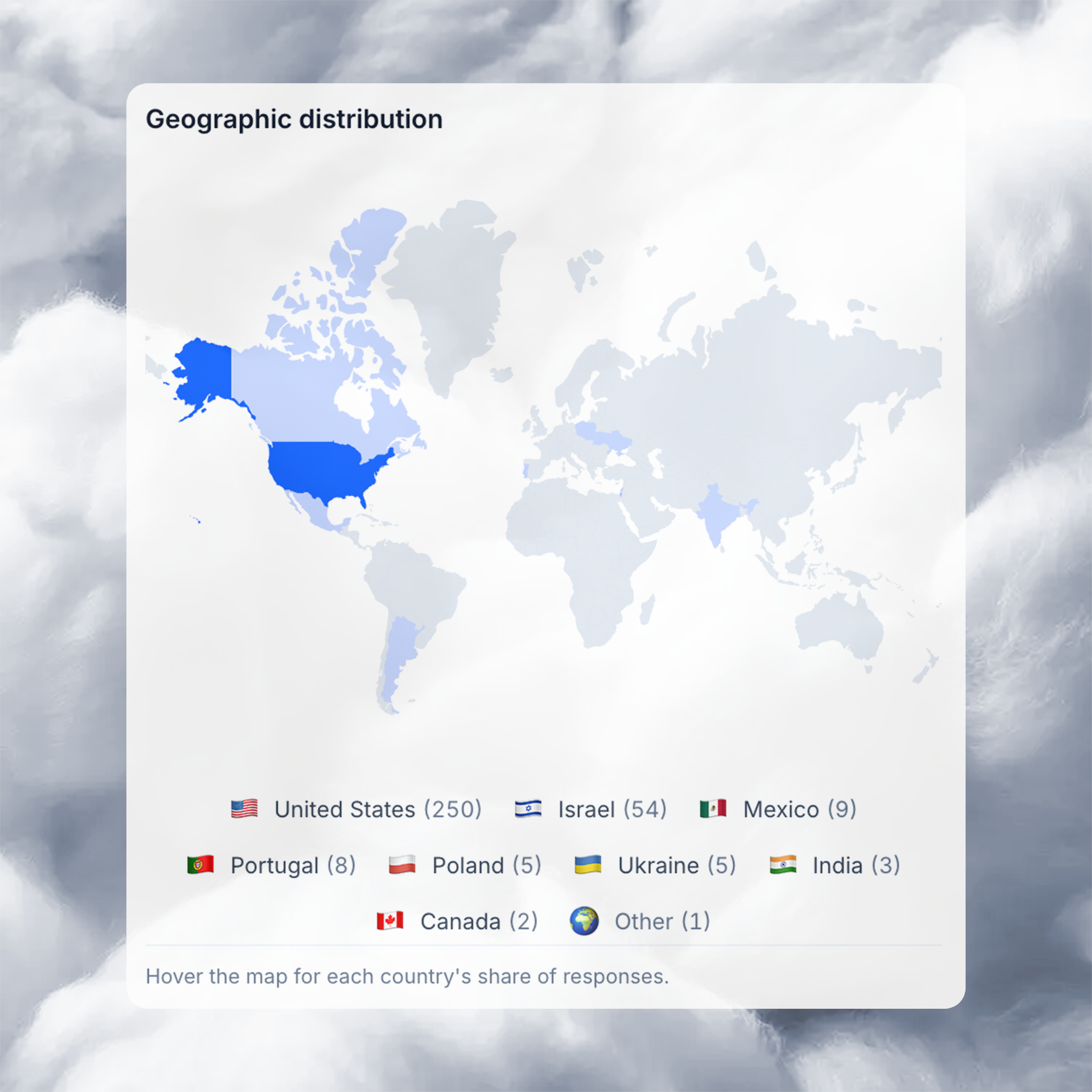
Changent manages merch for 280 partner organizations this way, with one catalog, budget caps applied at checkout and inventory held in one stockroom. Read the Changent case study.
What software do large companies use to manage corporate swag?
Large companies use merch management software that combines sourcing, company stores, budgets, approvals, inventory, kitting, gift sending and reporting in one platform. MerchOS is built for that.
When you compare platforms for a company-wide branded merch program, look for:
- Sourcing and catalog: Custom manufacturing, every kind of printing, products direct from brands, and room for your current vendors and items.
- Company stores: For employees, customers and partners, with single sign-on and punchout.
- Budget controls: Budgets by department, location and person, with approvals.
- Stockroom and kitting: Live inventory, kits and on-demand shipping.
- Gift links: Recipients choose sizes and enter addresses themselves.
- Integrations: HRIS for onboarding, CRM for gifting, and a REST API with webhooks for everything else.
- Reporting: Spend, orders and stock by team, store and campaign.
- Global shipping: To offices, events and home addresses in many countries.
Brandmerch works with enterprise tech companies on this setup. They tend to need all of it at once: remote hires in many countries, single sign-on for every internal tool, HRIS-triggered onboarding and CRM-triggered gifting.
MerchOS pricing: Procurement starts at $19.99 a month. Business starts at $199 a month, billed annually. Enterprise is priced per program. There is no free plan. See pricing for details, and the swag management platforms guide for a wider comparison.
A 90-day plan to consolidate merch vendors
You can move a large merch program onto one platform in about 90 days by starting with the data, then the highest-volume programs, then everything else.
Days 1 to 30: Find out what you have
- List every vendor: Pull a year of merch spend from finance and corporate cards.
- List every program: Onboarding, events, sales gifting, recognition, stores, client programs.
- Count your stock: Find every closet, office and third-party warehouse holding merch.
- Set up MerchOS: Create teams, locations and budgets. Set approval rules.
Days 31 to 60: Move the biggest programs
- Transfer vendors and items: Bring your current vendors and products into your catalog.
- Move stock: Send existing inventory to the stockroom so it is counted once.
- Launch the first store: Usually the employee store, with single sign-on.
- Move onboarding kits: Define the kit, stock it and connect your HRIS.
Days 61 to 90: Bring in everyone else
- Add events and regions: Give each event team and office its own budget and store.
- Add client and customer programs: Stores and gift links for sales and account teams.
- Retire duplicate vendors: Close out accounts once their items are in the catalog.
- Review the first report: Spend by department, stock levels and on-time delivery.
Merch vendor consolidation checklist
Use this checklist to confirm the program is fully consolidated.
- Every current vendor and item is in one catalog.
- Every team, location and brand has its own budget.
- Approval rules are set for orders above your chosen amount.
- All stock is counted in one stockroom.
- Employee and customer stores run on one platform, with single sign-on.
- Onboarding kits are defined, stocked and triggered from your HRIS.
- Gifting runs through gift links or your CRM, not spreadsheets.
- Events draw from shared stock, with a budget per event.
- Every office and country orders from the same approved catalog.
- Finance gets one spend report broken out by department.
Ready to consolidate your merch vendors?
See how MerchOS runs stores, budgets, the stockroom and reporting in one place. Have us run the program with an outsourced merch program, explore enterprise, storefronts and fulfillment, compare plans, or contact Brandmerch to plan your move.